
For the boss · Reports
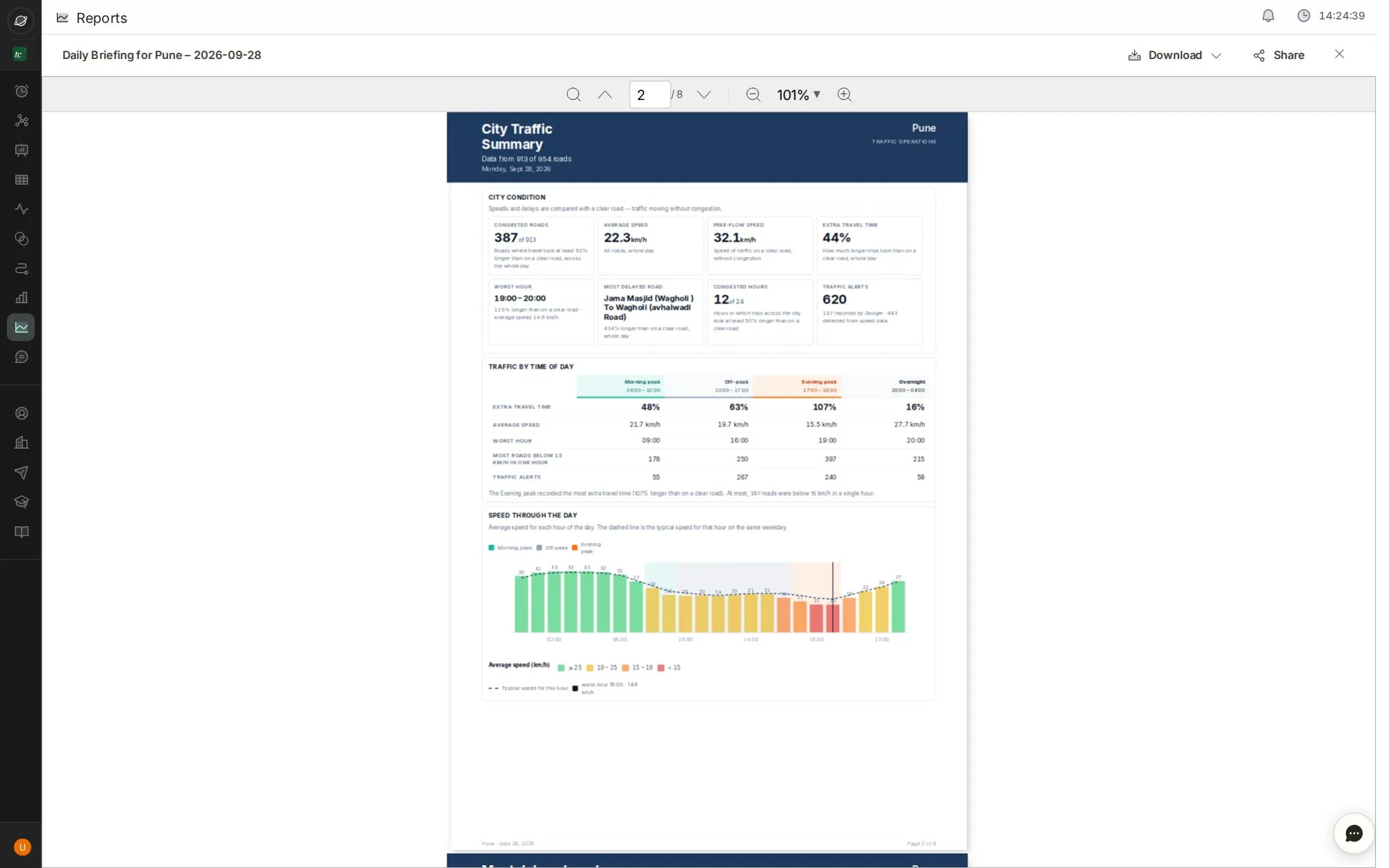
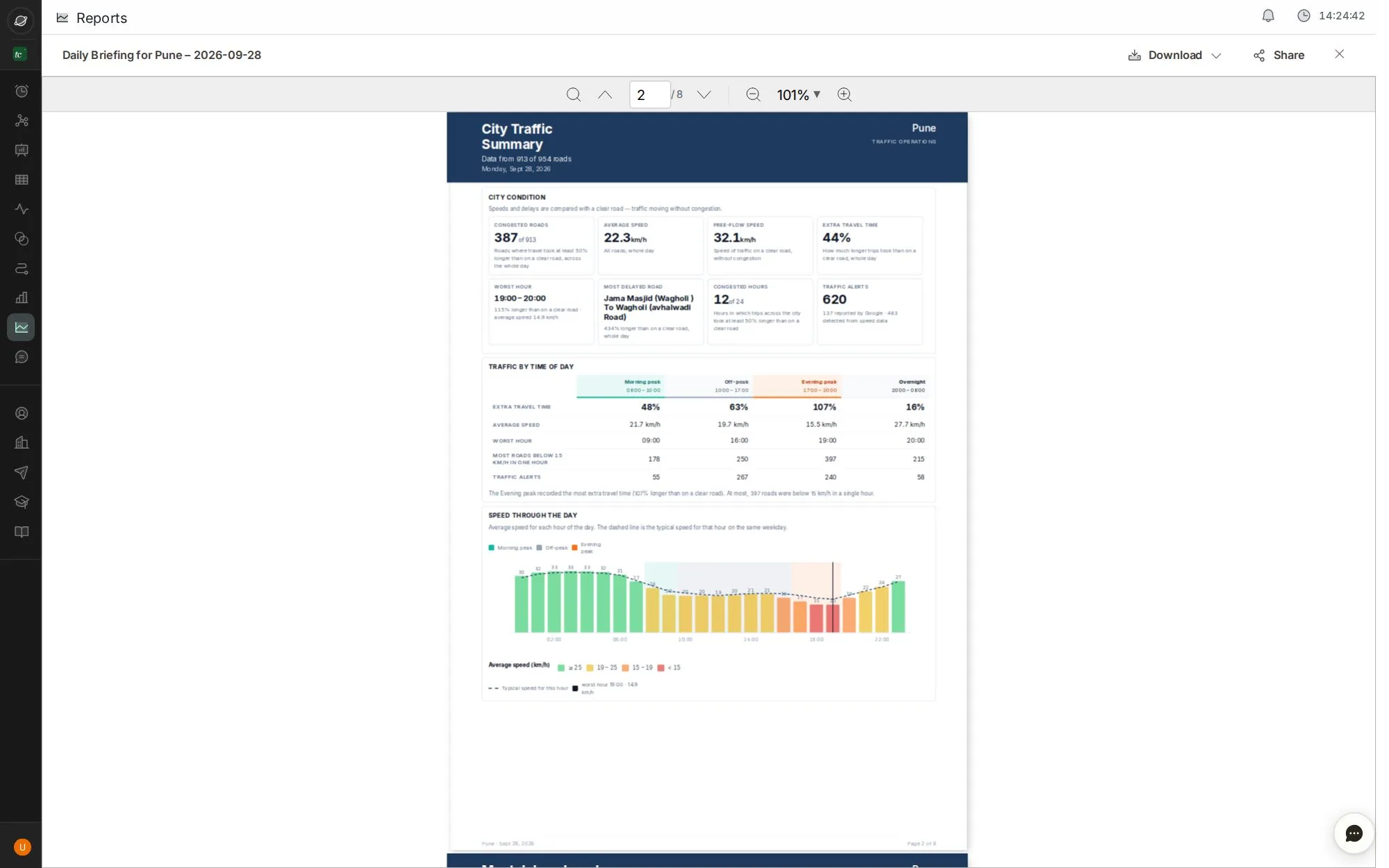
Send the morning briefing
TraffiCure writes a briefing every night. Here's how to find it, read it and send it on before the morning meeting.
6 stepsAbout 1 minClick the blue dot, or press →
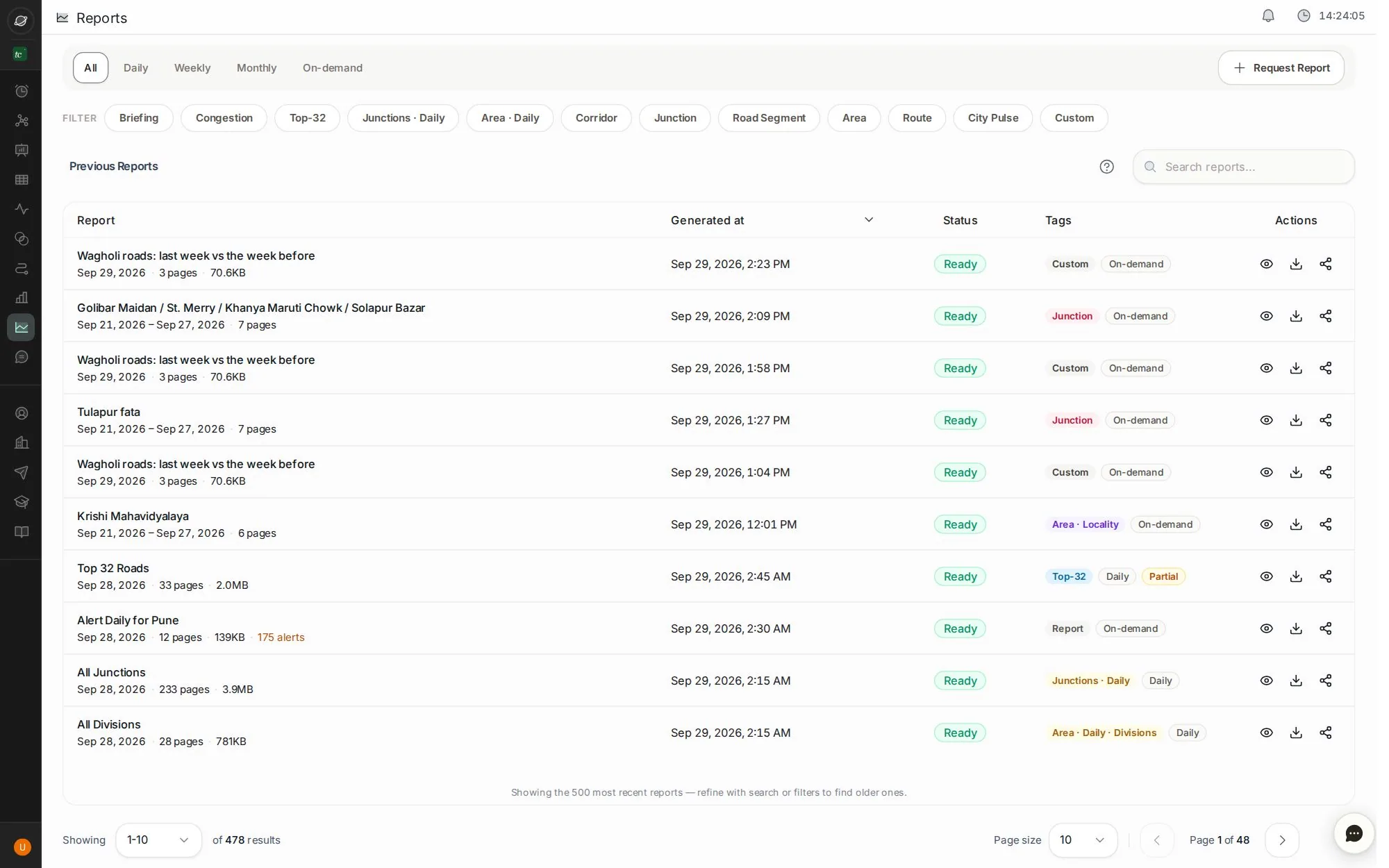
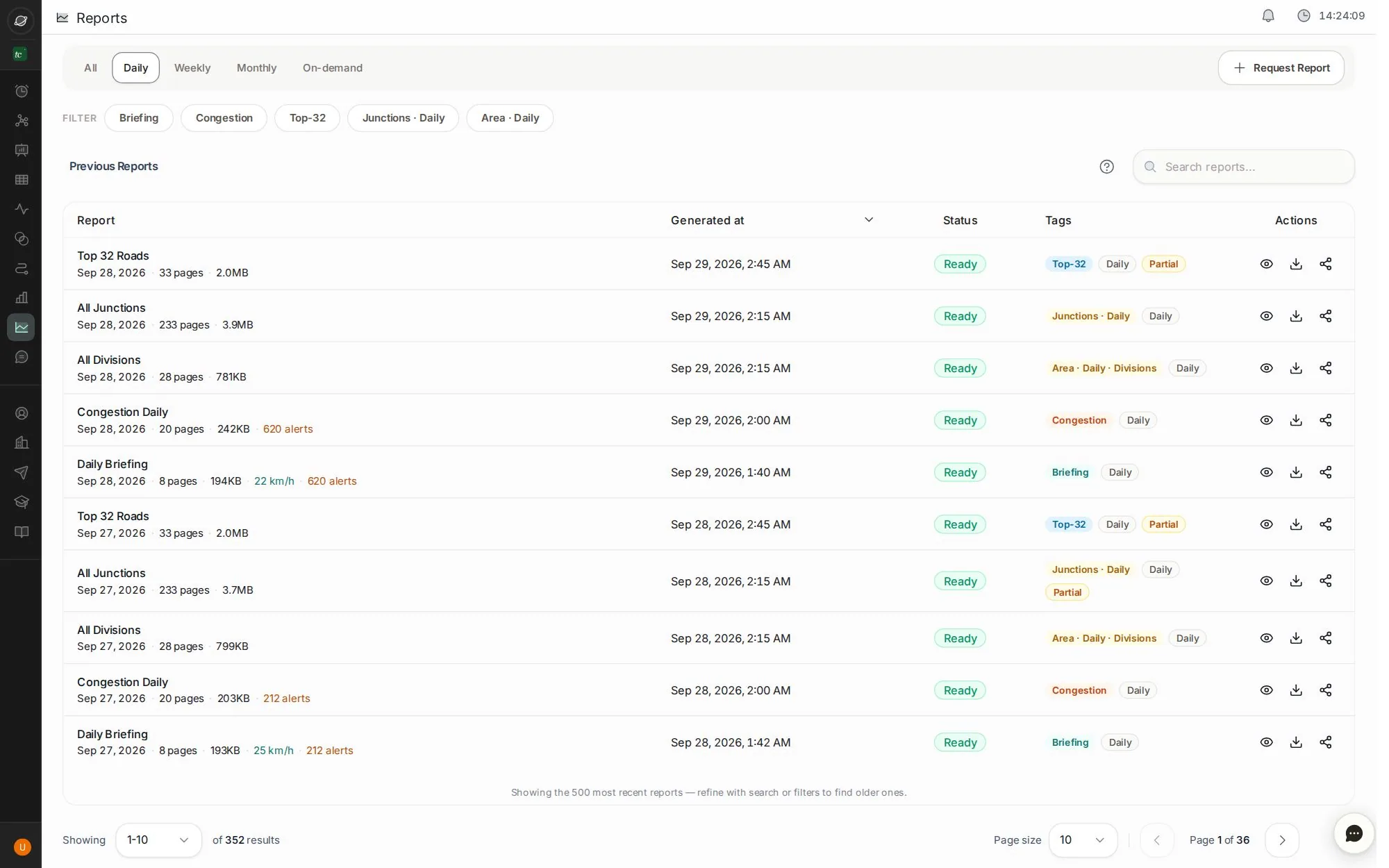
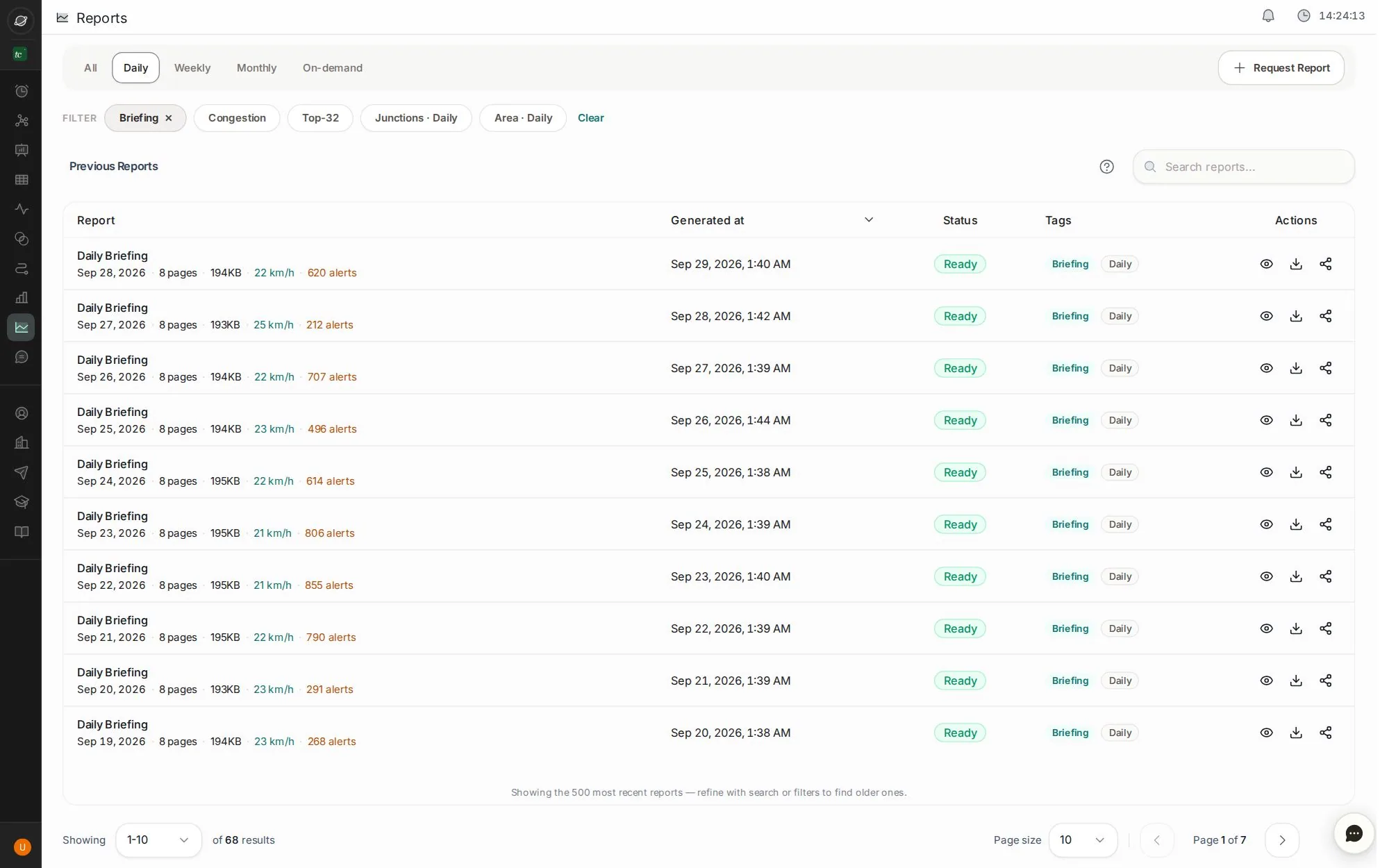
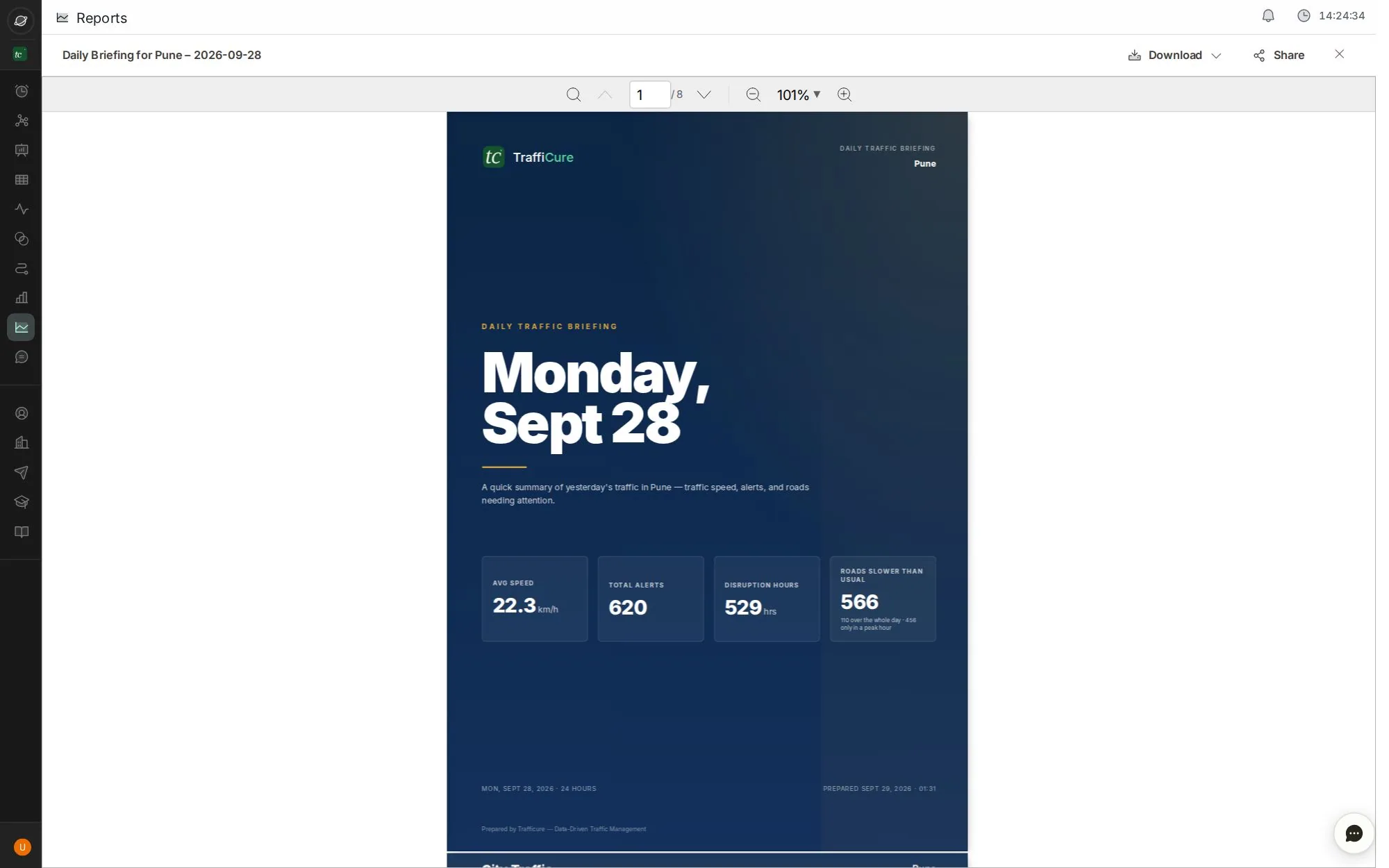
Step 1 of 6 · click
Show daily reports
Open Reports and pick Daily. Weekly and monthly reports have their own tabs.
Written overnight: the briefing is ready before the morning shift.
Tip: use ← and → keys. Click the screen to zoom.
Next job
Show what got better
The roads that got faster, and the time saved, for the weekly review.
Next jobGet TraffiCure on WhatsApp
Ask questions and get reports on WhatsApp, Slack or Google Chat.
Every buttonReports screen
Every report TraffiCure writes, plus the ones you generate and request.
Verified in the live app · 29 Sept 2026 Screens from a live city workspace. Your city will look different.